How to Prepare for an Online Job Interview
Online job interviews have become common in Uganda, especially for roles with international organisations, remote positions, and companies with offices in multiple locations. While the core preparation is similar to an in-person interview, video interviews come with their own set of challenges – technical, environmental, and presentational. Here’s how to prepare properly and make a strong impression on screen.
Test Your Technology in Advance
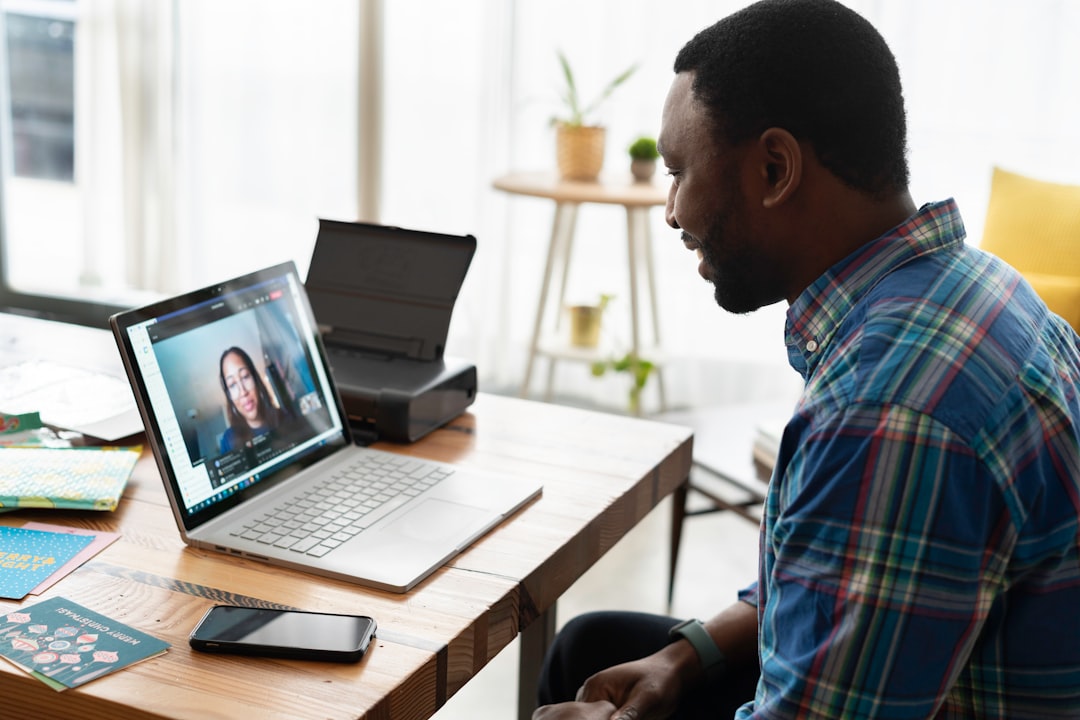
Nothing derails an online interview faster than technical problems. A day or two before your interview, test your internet connection, camera, and microphone using the same platform the interview will be conducted on, whether that’s Zoom, Google Meet, or Microsoft Teams. Make sure the app is updated and you’re comfortable navigating its basic features, like muting yourself or sharing your screen if needed.
If your internet connection is unreliable, consider whether a mobile data backup, a different location with stronger Wi-Fi, or a nearby cybercafé might be worth arranging in advance. It’s far better to plan for connectivity issues than to be caught off guard mid-interview.
Choose a Quiet, Professional Setting
Find a quiet space with minimal background noise and a clean, simple background. If you don’t have access to a neutral space, a plain wall works better than a cluttered room. Let others in your household know you’ll be in an interview so they can avoid interrupting you.
Check Your Lighting and Camera Angle
Sit facing a light source, such as a window, rather than having it behind you, which can leave your face in shadow. Position your camera at eye level rather than looking down at your laptop – this creates a more natural, professional appearance on screen.
Dress As You Would for an In-Person Interview
Even though the interview is online, dress professionally from head to toe, not just what’s visible on camera. This helps you feel more prepared and confident, and avoids any awkwardness if you need to stand up during the call.
Have Your Materials Ready
Keep a copy of your CV, the job description, and any notes or questions you’ve prepared nearby, but avoid reading directly from a script – it can come across as unnatural. A few bullet points to jog your memory are more effective than a full written-out script.
Practice Speaking to a Camera
Speaking to a screen feels different from speaking to a person face-to-face. Practice answering common interview questions while looking directly at your camera lens rather than the screen itself – this creates the effect of eye contact for the person on the other end.
Prepare for Possible Technical Issues
Have a backup plan in case your internet connection drops or your device has issues – for example, keeping the interviewer’s phone number or email address on hand so you can quickly let them know if you’re having trouble reconnecting. Staying calm and communicating clearly if something goes wrong leaves a much better impression than panicking silently.
Join a Few Minutes Early
Log in five to ten minutes before your scheduled time to make sure everything is working and to avoid rushing in at the last minute. If you’re using a link for the first time, test it as early as possible in case there are access issues.
Follow the Same Interview Etiquette
The core rules of a strong interview still apply: listen carefully, answer clearly and concisely, show enthusiasm for the role, and prepare thoughtful questions to ask the interviewer. A video format doesn’t lower the bar for professionalism – if anything, it requires extra attention to detail.
Avoid multitasking during the call, even if you think it’s not visible – interviewers can often tell when a candidate’s attention is divided, whether through delayed responses or a distracted expression. Treat the video interview with exactly the same focus you’d bring to an in-person meeting.
Managing Nerves in a Virtual Setting
Some candidates find video interviews more nerve-wracking than in-person ones, since you’re watching yourself on screen while also trying to focus on the conversation. If this applies to you, try minimising the self-view window if your platform allows it, and focus on the interviewer’s face or the camera instead. A few slow breaths before joining the call can also help settle nerves.
What Interviewers Notice in a Video Setting
Beyond your answers, interviewers pay attention to your environment, how you handle any technical hiccups, and your general presence on camera – whether you appear engaged and attentive or distracted. Keep your phone away, close unnecessary browser tabs or applications, and give the interview your full, undivided attention.
Ready for Your Next Online Interview?
With the right preparation, an online interview can be just as effective as an in-person one at showing employers why you’re the right fit. Browse the latest job vacancies in Uganda and start applying to roles that match your skills.

 0
0